
Networking & Wi-Fi
20-Port Gigabit Easy Managed PoE+ Switch
TP-Link Omada · ES220GP
Request a Quote
Omada 24-Port SFP L2+ Managed Switch with 4 10GE SFP+ Slots PORT: 20× Gigabit SFP Ports, 4× Gigabit SFP/RJ45 Combo Ports, 4× 10G SFP+ Slots, RJ45/Micro-USB Console Port SPEC: 1U 19-inch Rack-mountable Steel Case FEATURE: Integration with Omada SDN Controller, Static Routing, DHCP Server, ERPS, OAM, sFlow, DDM, 802.1Q VLAN, QinQ, STP/RSTP/MSTP, IGMP Snooping, 802.1p/DSCP QoS, ACL, 802.1x, Radius/Tacacs+ Authentication, LACP, CLI, SNMP, Dual Image/Configuration, IPv6, Internal
 Professional ICT equipment
Omada 24-Port SFP L2+ Managed Switch with 4 10GE SFP+ Slots PORT: 20× Gigabit SFP Ports, 4× Gigabit SFP/RJ45 Combo Ports, 4× 10G SFP+ Slots, RJ45/Micro-USB Console Port SPEC: 1U 19-inch Rack-mountable Steel Case FEATURE: Integration with Omada SDN Controller, Static Routing, DHCP Server, ERPS, OAM, sFlow, DDM, 802.1Q VLAN, QinQ, STP/RSTP/MSTP, IGMP Snooping, 802.1p/DSCP QoS, ACL, 802.1x, Radius/Tacacs+ Authentication, LACP, CLI, SNMP, Dual Image/Configuration, IPv6, Internal Fixed Dual Redundant Power Supplies
Omada 24-Port SFP L2+ Managed Switch with 4 10GE SFP+ Slots PORT: 20× Gigabit SFP Ports, 4× Gigabit SFP/RJ45 Combo Ports, 4× 10G SFP+ Slots, RJ45/Micro-USB Console Port SPEC: 1U 19-inch Rack-mountable Steel Case FEATURE: Integration with Omada SDN Controller, Static Routing, DHCP Server, ERPS, OAM, sFlow, DDM, 802.1Q VLAN, QinQ, STP/RSTP/MSTP, IGMP Snooping, 802.1p/DSCP QoS, ACL, 802.1x, Radius/Tacacs+ Authentication, LACP, CLI, SNMP, Dual Image/Configuration, IPv6, Internal Fixed Dual Redundant Power Supplies
Suitable for organizations, offices, institutions, retail environments and infrastructure projects. Lopetech can assist with design, supply, installation, configuration and support.
TP-Link Omada · ES220GP
Request a Quote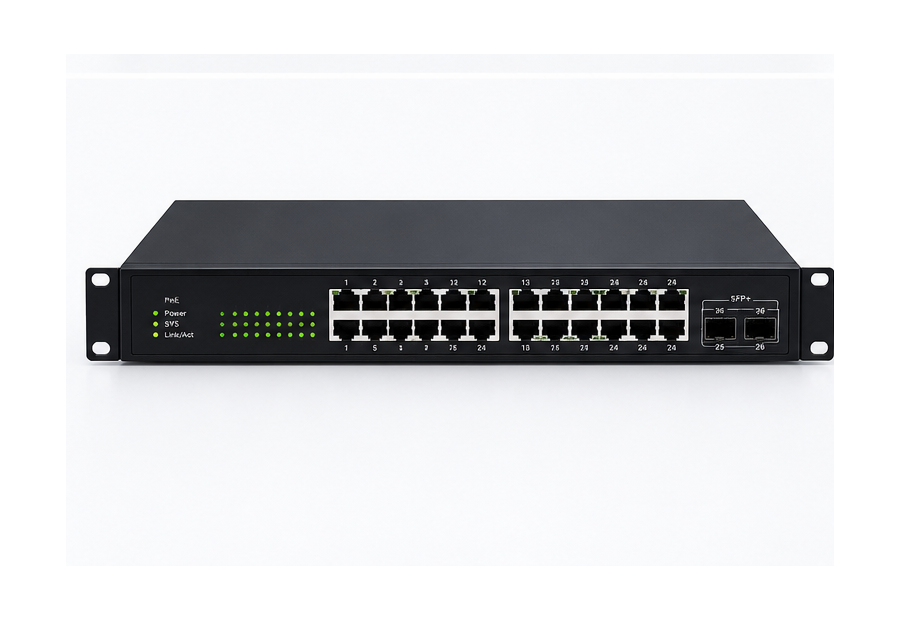
TP-Link · Omada / JetStream Series
Request a Quote
Huawei · S110-8P2ST
Request a Quote
TP-Link · Archer AX53
Request a QuoteFor bulk quantities, project deployments or products with variable pricing, Lopetech can prepare a complete quotation based on your application.
Share a few details and the Lopetech team can follow up with the right specialist.

Select a solution above for a focused explanation, then use “View solution” to see the full Lopetech service details.